How to send lead information to Insider One
Connecting Qonfi to Insider One allows you to enrich your customer data with Qonfi interaction data. Enabling Insider One in Qonfi is easy.
Making the connection
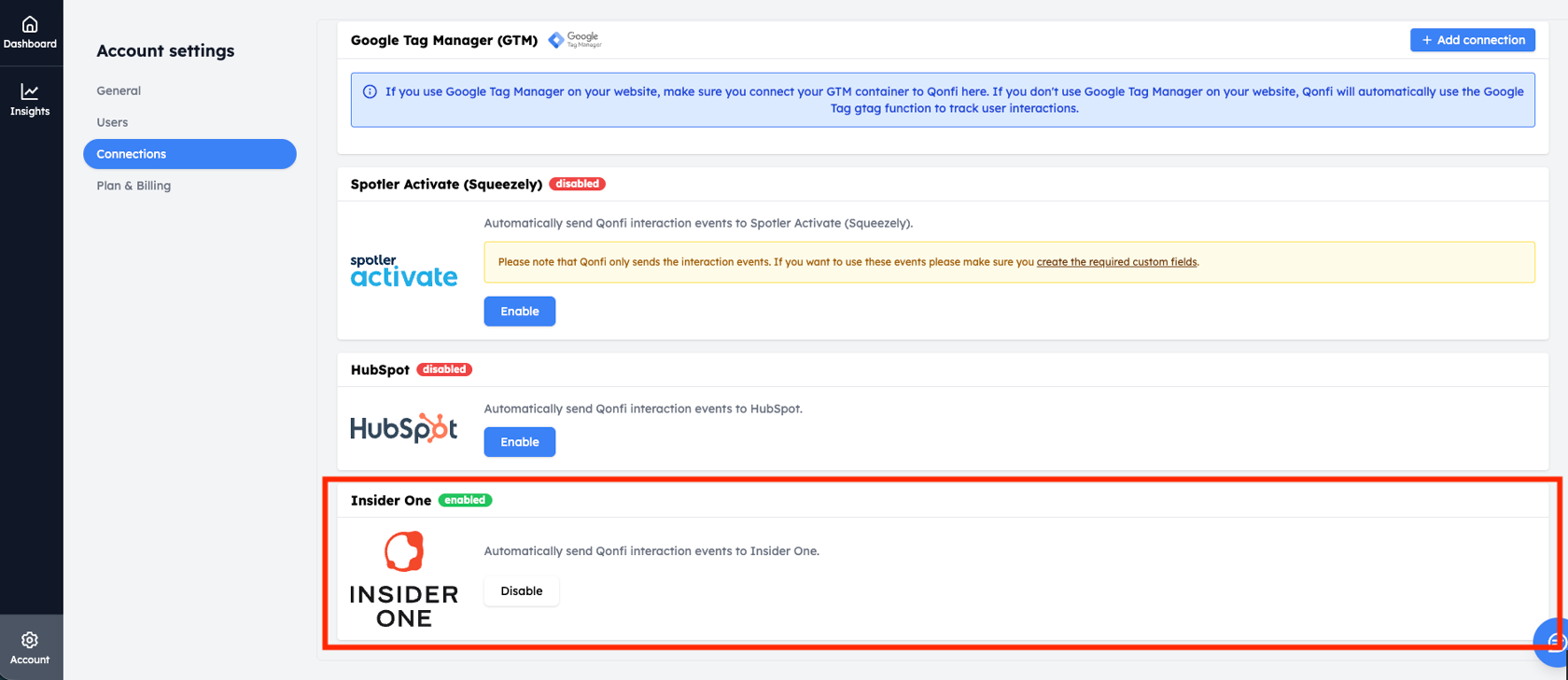
To enable Insider One in Qonfi, navigate to Dashboard → Account → Connections and click Enable next to the Insider One connection.
Make sure you have implemented the Insider One script on your website before enabling the integration.
Creating the Qonfi Adviced event
To display the correct products in the results, you need to create the Qonfi Adviced event in Insider One.
- In the Insider One platform, navigate to Components → Attributes & Events → Attributes & Events.
- In the Attributes & Events screen, click Create to create a new event. Then, configure the event using the following information.
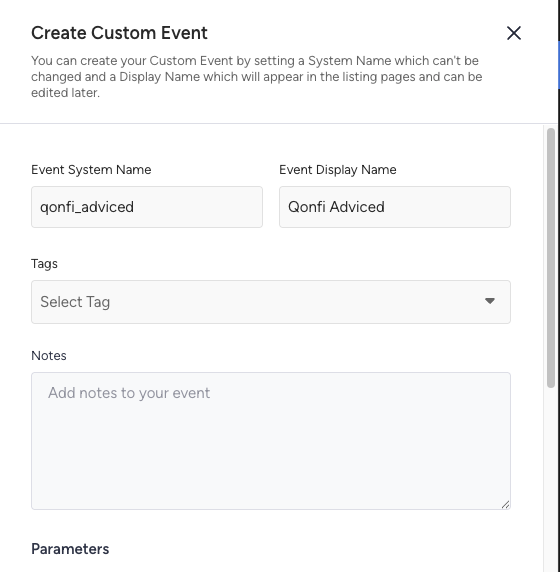
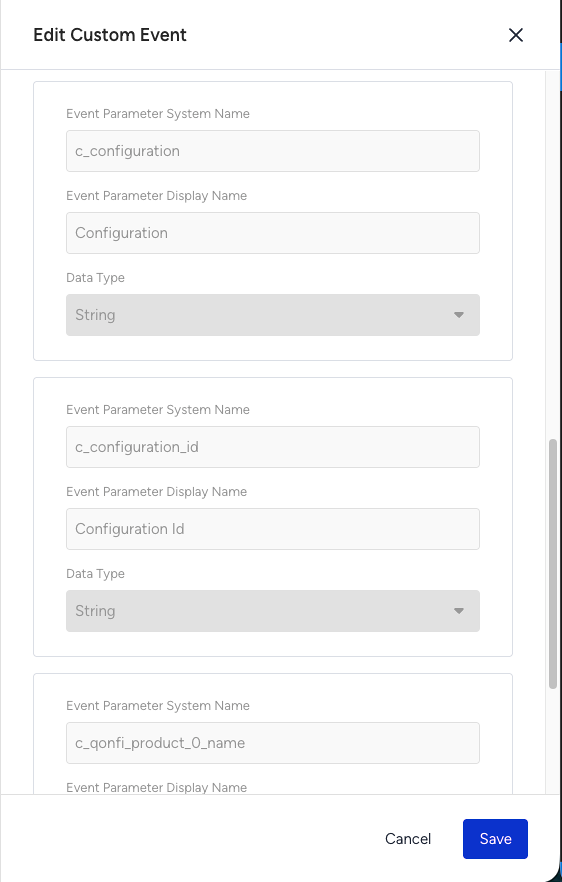
After entering the event name and parameters as shown in the screenshots above, click Create Event at the bottom of the page. Your Qonfi Adviced event is now ready to use. (Note: You don't need to type "c_" in front of the parameter. This gets added automatically by Insider One)
Now when a user has finished your flow and triggered the Qonfi Adviced event, the advised products get sent to Insider One
Individual Product Parameters
If you want to use the individual product data in Insider One, create the following event parameters with the String data type:
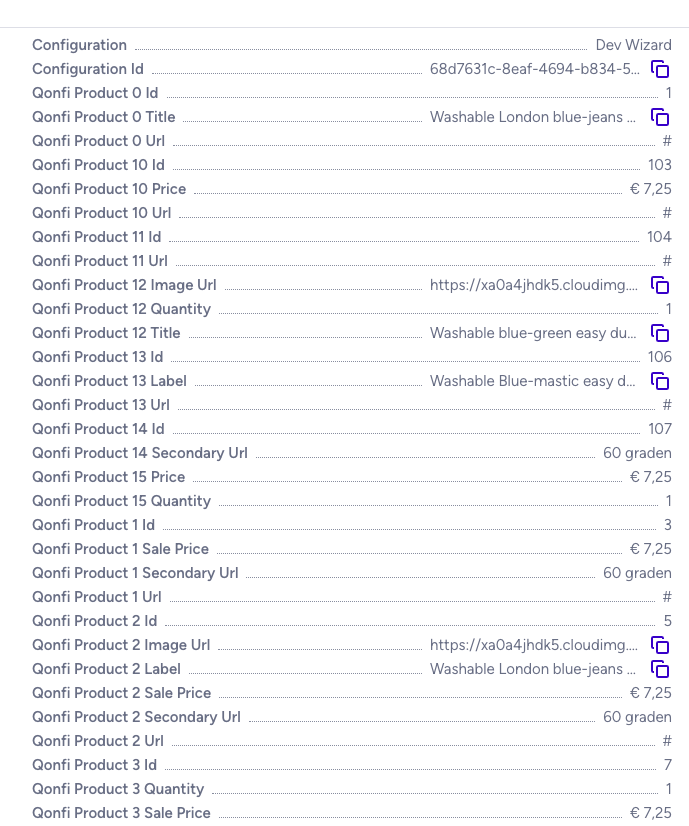
The available data is the following:
qonfi_product_0_idqonfi_product_0_titleqonfi_product_0_urlqonfi_product_0_image_urlqonfi_product_0_labelqonfi_product_0_match_scoreqonfi_product_0_priceqonfi_product_0_sale_priceqonfi_product_0_price_ex_vatqonfi_product_0_quantityqonfi_product_0_secondary_urlqonfi_product_0_text
These parameters contain the data of the first product from the Qonfi results. This allows you to use the product information directly in your Insider One journeys, emails, and other personalization features.
If you want to include additional products, create the same set of parameters again and replace the index 0 with the desired product number (for example):
qonfi_product_1_idqonfi_product_1_nameqonfi_product_1_urlqonfi_product_1_image_url
These parameters contain the data of the second product.
For a third product, use the index 2, for a fourth product use 3, and so on.
Creating the Qonfi Mail Advice event
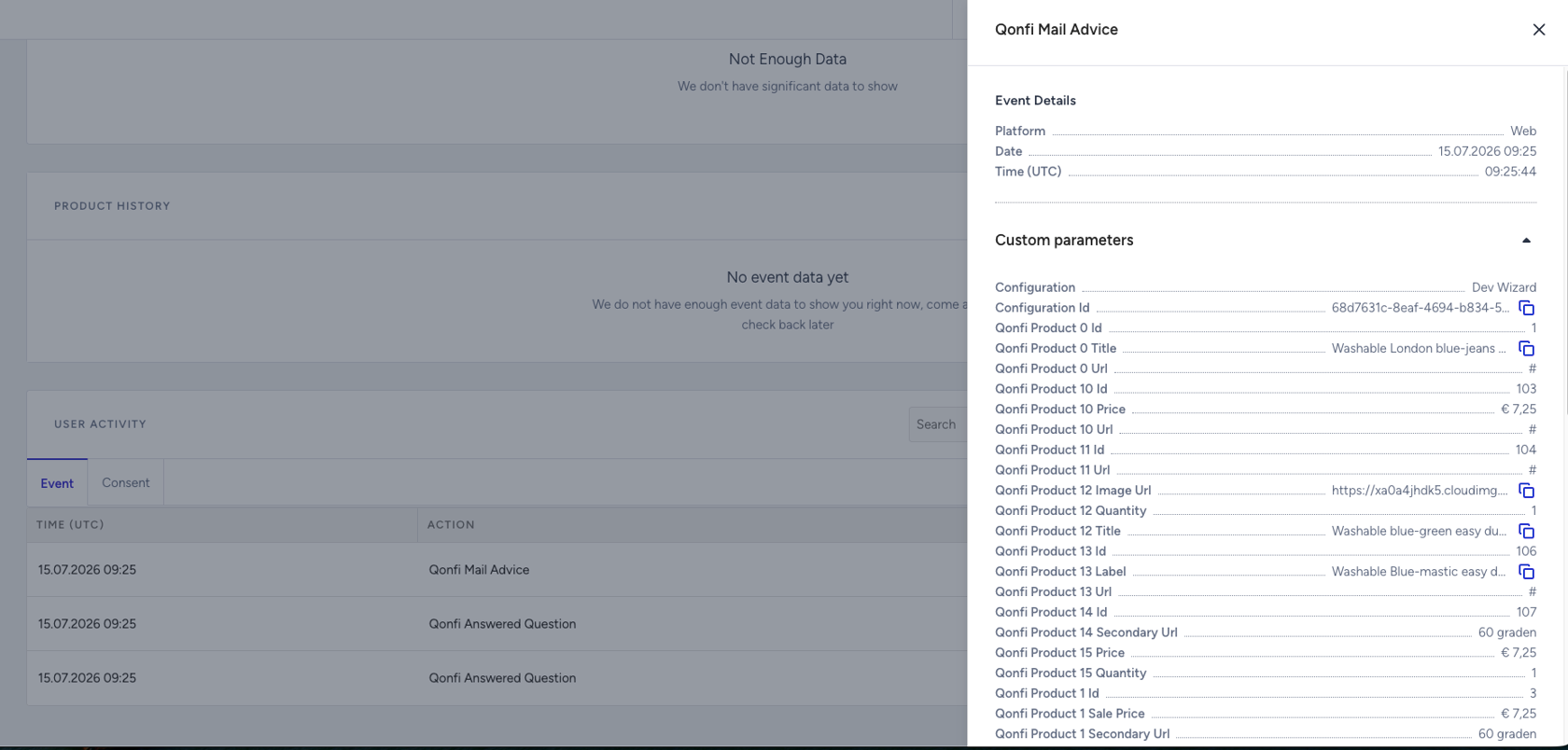
The Qonfi Mail Advice event is triggered when a user chooses to email their results and enters their email address. This event captures the user's email address and the products included in the results email, allowing the data to be used within Insider One.
- In the Insider One platform, navigate to Components → Attributes & Events → Attributes & Events.
- In the Attributes & Events screen, click Create to create a new event. Then, configure the event using the following information.
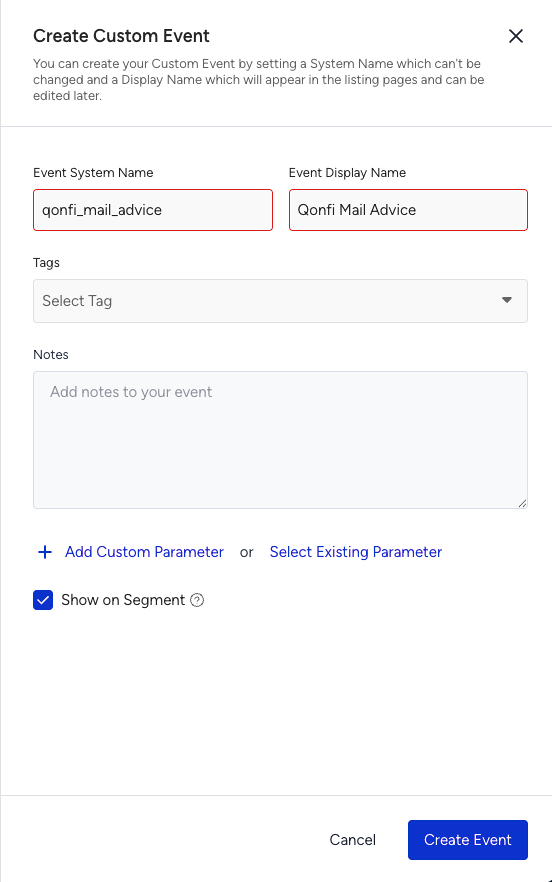
For the parameters you can re-use the previously made Qonfi Adviced parameters by choosing "Select Existing Parameters": the individual product data parameters, configuration & configuration_id. If you have not made these parameters already. See the "Creating the Qonfi Adviced Event" part on how to name the parameters
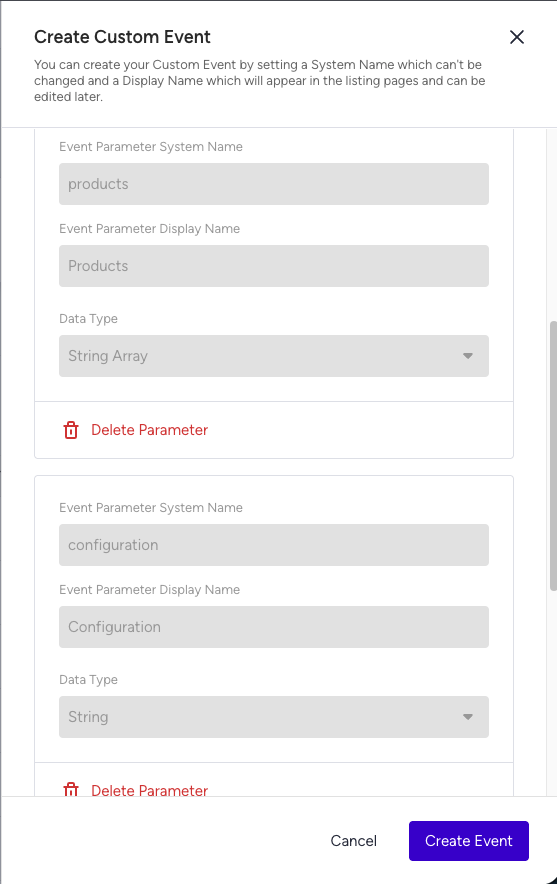
Once you have completed these steps, the Qonfi Mail Advice event is ready to use.
Documentation